

Strong products, established brand awareness, and significant marketing investment do not guarantee that a website captures its search demand. Buyers who cannot reach a product category or its specifications are often running into an access, content, or structural problem, not a weak brand. Resolving common SEO problems means finding the likely cause, choosing a fix, ordering the work within a coordinated SEO strategy, and confirming that technical changes succeeded.
| Problem area | Warning signs | Check, then fix | Confirm with |
| Crawling and indexing | Key pages missing from Google | Inspect the URL, remove any unintended block | Live test, indexed status |
| Robots.txt, noindex, sitemaps | Unexpected exclusions, redirected URLs in sitemap | Review directives, clean the sitemap | Sitemap and live URLs checked |
| Redirects, 404s, canonicals | Chains, dead links, duplicate URLs | Crawl status codes, consolidate signals | Re-crawl |
| Page speed and rendering | Weak field data, missing rendered content | Test templates, fix heavy resources | Field data, rendered HTML |
| On-page and content | Intent mismatch, overlapping pages | Review queries, rework or merge pages | Landing-page trends |
| Mobile | Missing essential content or links | Compare versions, restore missing essentials | Rendered mobile HTML and real-device testing |
| Architecture | Orphaned or buried pages | Compare URL inventories, add links | Re-crawl, link counts |
What are SEO problems, and how do they affect your website?
SEO problems are conditions that interfere with how search engines find, index, and understand a page, or with the experience of people who arrive from search. How much they matter depends on the pages involved. A blocked product category with proven demand deserves a different response from an unclear title on an outdated announcement.
Common SEO problems vs. critical SEO issues
An audit report mixes findings with very different consequences. A broken internal link is a technical error, a dated buying guide is a content weakness, and a vague title on a page that otherwise works is an optimization opportunity. A critical barrier is different in kind, since it keeps an important page from being crawled, rendered, or indexed as intended.
An audit tool’s labels do not establish business priority, and some flagged configurations are intentional. Account pages marked noindex are behaving correctly, and an isolated warning on a low-value URL rarely deserves a ticket. The first step is to establish what the site is supposed to do, before calling anything a defect.
How SEO problems affect search visibility, qualified traffic, and conversions
Google needs access to a page before it can evaluate it, but access does not make the page relevant to a buyer’s search. The content also has to answer the task behind the query, and that match is where qualified traffic comes from. A missing specification page interrupts product research, and a wholesale page that attracts consumer queries may draw unsuitable visitors.
Those are search effects, a matter of accessibility and relevance. Whether they lead to lost orders or weaker lead quality needs analytics evidence from after the visit, since seasonality and pricing also move conversion.
How to check your website for SEO problems
Diagnosis comes before any change. Start with the pages and audiences the site should serve, record a dated baseline, and then work through checks that each answer one narrow question.
- Performance report. Shows where clicks and impressions moved, by page group, query, and device. It cannot say why.
- Page indexing report. Shows indexing patterns and the reasons reported for excluded pages. Intentional exclusions still need a second look.
- URL Inspection. Reports the indexed status and Google’s selected canonical (the version it treats as the main URL) for a single URL, while a live test shows the current rendered HTML.
- Site crawl. Collects responses, directives, canonicals, and internal links at scale. The findings need interpreting.
- Template review. Tests whether a fault repeats across product, category, and service pages.
- Content and intent review. Checks whether each page still answers the query that brings people to it.
- Mobile and speed tests. Reveal usability faults, real-user performance, and potential bottlenecks that need investigation.
- Timeline comparison. Places the change beside releases, content edits, demand, and tracking updates.
Check organic search performance and indexing in Google Search Console
The Performance report is the natural starting point. It shows which landing pages lost ground and when, as long as you filter by page and query and compare suitable reporting periods, accounting for seasonality and using year-over-year context where relevant.
The Page indexing report then shows indexing patterns and the reasons Google reports for pages it left out, though the examples it lists are limited. Some of those reasons, such as “Discovered – currently not indexed”, are not defects by default.
Three states are easy to confuse. A page is eligible when nothing blocks indexing, indexed when Google has chosen to store it, and visible only when it appears for relevant searches. Eligibility alone does not make the other two follow.
Run a technical SEO crawl to identify sitewide issues
A crawler records status codes, redirects, canonical tags, metadata, and internal links in one pass, so faults that repeat across a template are easy to spot. It only reports what it met, though, which means a deliberate redirect or a noindex tag on a filter page shows up alongside real defects.
Settings matter as well, since a JavaScript-heavy site needs rendering switched on and exclusions or crawl limits decide which URLs the crawler reaches. Treat the output as evidence to check against how the site is meant to behave, not as a task list.
A crawl can reveal technical and on-page issues, but it cannot establish search intent, content usefulness, or business impact on its own. Teams that conduct a comprehensive website audit combine crawl findings with search performance, editorial review, and user-experience checks.
Test important pages for mobile usability and performance
Each key template deserves a sample, whether product, category, service, resource, or inquiry, because a fast homepage says little about a product gallery or form that loads different scripts.
Performance tools combined with a manual pass through those journeys catch what the reports miss. Use a physical phone to test navigation, forms, and touch interactions. Separately, inspect the rendered mobile page in URL Inspection to check whether Google can access the essential content and links.
Investigate traffic drops to distinguish symptoms from root causes
Start by pinning down when the decline began and whether it shows in Search Console, analytics, or both. If Google Search clicks hold steady while Google organic sessions fall, first check that the dates, landing pages, and reporting scopes are comparable, then investigate tagging, consent, and attribution changes before treating the discrepancy as a content problem.
For a confirmed search decline, narrow the cause in this order:
- The scope: which pages, queries, devices, and markets lost visibility.
- Website changes: deployments, migrations, removals, and navigation edits near that date.
- Access: indexing status, response codes, and directives on the affected URLs.
- Outside context: demand, seasonality, competitors, and search-result changes.
- Measurement: tagging, consent, and reporting updates.
A coinciding Google ranking update is one lead among these, and it holds up only when the affected-page evidence supports it.
Common technical SEO problems and how to fix them
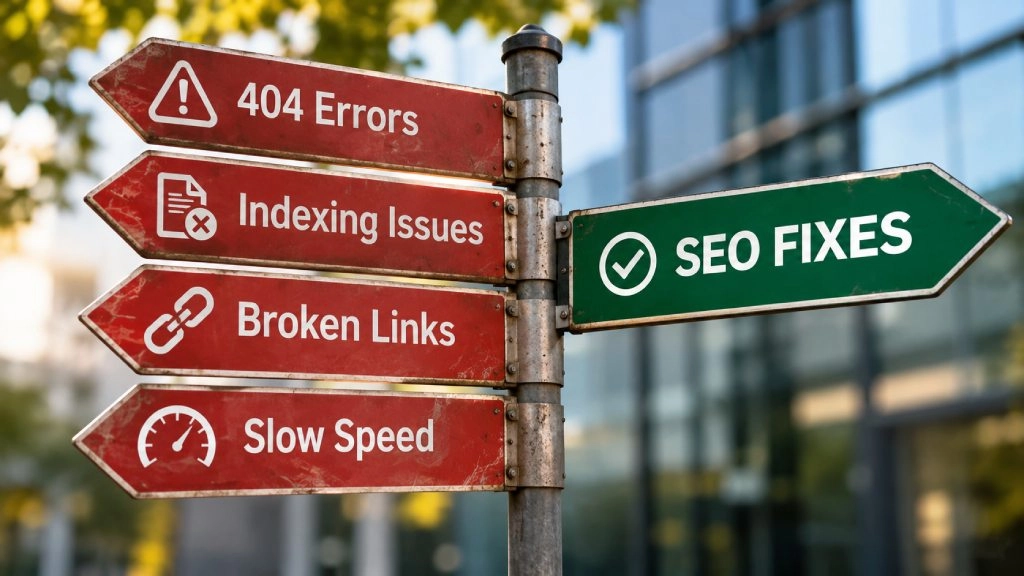
Technical SEO problems usually involve crawling, indexing, or rendering, and each leaves its evidence in a different tool. When access or rendering failures affect important templates, technical SEO services can work alongside in-house developers. Either way, the investigation should locate the failure before anyone implements a fix.
Crawling and indexing issues that prevent important pages from appearing in search
A page missing from Google may be undiscovered, uncrawled, or ineligible for indexing, or Google may simply not have chosen it despite meeting every technical requirement. Each case needs a different remedy, and URL Inspection helps investigate which one applies by reporting the indexed status, directives, and the canonical Google selected, while a live test shows how the page responds now.
Accidental restrictions, weak internal links, and near-duplicate content are the usual causes. Once the evidence points to one, fix it, test the live URL, and watch crawling and indexing over the following weeks.
Robots.txt, noindex, and XML sitemap configuration problems
Robots.txt governs crawling, noindex governs indexing, and an XML sitemap helps discovery without guaranteeing anything. The combination that causes trouble is a robots.txt block on a page that also carries noindex. Googlebot never reads a noindex on a page it is not allowed to fetch, as Google’s indexing guidance explains, so the URL can stay in results.
To find accidental restrictions, compare the robots.txt rules, page-level directives, and HTTP headers with the pages that should be searchable. Correct any mistake, then confirm the fix in the live response. The sitemap should list only preferred, indexable URLs, so redirected and noindexed entries come out. Intentional exclusions, such as cart and internal search pages, need no correction.
Broken internal links, 404 errors, and problematic redirects
The right response to a broken link depends on what happened to its destination. Content removed by mistake should be restored, and links to an outdated address should be updated.
Moved content deserves a permanent redirect to a close equivalent, following Google’s redirect guidance. A page that is gone with no comparable replacement should return a 404 or 410. A redirect to an unrelated page, the homepage included, rarely serves the visitor’s original task. Internal links should point straight at the final destination, which also removes redirect chains. Crawl the old URLs afterward to confirm that moved pages redirect directly to the intended replacement, restored pages return 200, and permanently removed pages without a suitable replacement return 404 or 410..
Duplicate URLs and incorrect canonical tags
Tracking parameters and inconsistent URL formats can put the same content at several addresses. Before consolidating, compare internal links, sitemaps, redirects, and canonical tags (the markup that names the preferred version) to decide which address should win.
Google’s consolidation guidance treats redirects and canonicals as different tools. A redirect suits a URL that should disappear. A canonical suits variants that must stay accessible, although Google treats it as a strong signal rather than a directive.
Align the supporting signals, re-crawl the variants, and check which URL Google selects.
Slow page speed and poor Core Web Vitals
Core Web Vitals are the three field metrics Google uses to describe loading, responsiveness, and visual stability. A page counts as good on a metric when at least three in four visits (the 75th percentile) meet its threshold.
| Metric | What it measures | Good threshold |
| Largest Contentful Paint (LCP) | Loading | 2.5 seconds or less |
| Interaction to Next Paint (INP) | Responsiveness | 200 milliseconds or less |
| Cumulative Layout Shift (CLS) | Visual stability | 0.1 or less |
Field data from real visitors shows whether a problem exists, and lab diagnostics then help locate oversized images, slow server responses, or rendering delays.
Once the bottleneck is clear, the remedy follows from it, whether compressing images, trimming blocking scripts, or speeding up server responses, and website speed optimization techniques can be matched to the template that fails. Retest that template afterward and watch field data, which updates over a rolling 28 days. Passing the thresholds is worth doing for visitors, though it does not guarantee a ranking improvement.
JavaScript rendering issues that hide important content or links
Google renders JavaScript, so a client-side site is not a problem by default. The failure to look for is content or links that show in a browser but are missing from the rendered page, which is the version Google sees after scripts have run.
Inspect the URL in Search Console, run a live test, and open ‘View tested page’ to review the available HTML and screenshot. Check whether essential text and navigation links are present. Differences from the original HTML are normal; missing information needed to understand or navigate the page is the issue.
Failed requests, blocked resources, content that loads only after a click, and links without a real href each call for a different repair. Server-side rendering is one option when the investigation and the site’s needs support it, as Google’s JavaScript SEO basics describe, and a live test of the rendered page confirms whether the repair worked.
Common on-page and content SEO problems
Effective on-page SEO optimization connects the searcher’s task with useful information and a structure that makes it easy to find. Most on-page problems begin with a mismatch between those three, so each remedy starts with evidence about how searchers and competing results behave.
Targeting the wrong keywords or search intent
A page can rank and still fail if it attracts the wrong audience. A direct-to-trade furnishings supplier that targets consumer shopping terms may attract visitors who cannot buy through its distribution model.
To find the gap, look at the queries the page actually receives and the formats that rank for them, then compare both with what the page is for. Someone researching materials needs different information from someone choosing a supplier. The fix may be a change in targeting, format, or content, judged by query relevance and landing-page outcomes.
Thin, outdated, or unhelpful content
Thin content leaves readers without what they need for the page’s purpose. A concise product page can be complete, while a long guide can still omit the specifications or distribution details a buyer needs. Questions from sales, support, and product teams expose those gaps, along with discontinued products and superseded requirements.
Google’s people-first content guidance is explicit that there is no preferred word count. A useful revision supplies what buyers need to decide, removes unsupported claims, and merges genuine overlap, whereas adding words or changing the date fixes nothing.
Keyword cannibalization between competing pages
A category page and a specification guide can serve related searches and still answer different needs, so shared terminology matters only when the pages create a real targeting or navigation problem. URLs that alternate in query reports do not prove harm either.
Start by checking intent overlap, mismatched landing pages, and internal linking. If the pages do compete, they can be differentiated by audience, consolidated into one clear destination, or kept separate with better links between them. Consolidation means redirecting the removed URL to the surviving page and updating internal links to match.
Missing, duplicate, or poorly optimized title tags and headings
A generic title such as “Products” leaves the material, category, or application unclear, and Google may rewrite titles it finds inaccurate or boilerplate, as its title link guidance describes.
Check title tags and visible headings separately. Give each page a descriptive title and a clear main heading, then organize subheadings around the questions the page answers. If unrelated pages inherit the same generic wording from a template, correct the template and review affected pages for exceptions. Keep keyword use natural; missing or duplicate elements do not trigger penalties on their own.
Image optimization and accessibility issues
Images should carry useful information without creating loading or accessibility barriers. Informative images need descriptive alt text placed in context, as Google’s image guidance explains. Decorative images should take an empty alt attribute so screen readers skip them. Files should match their display size, with space reserved in the layout so the page does not jump, and the main visible image should load without delay.
Mobile SEO problems and how to check them
Mobile SEO problems matter because Google uses the mobile version of a page for indexing and ranking. Knowing how to check for mobile SEO problems starts with working out whether content, interactions, or performance fail, since each points to different evidence.
Mobile content and links that differ from the desktop version
Under mobile-first indexing, a specification or description missing from the mobile page counts as missing, even if the desktop page shows it. To find where they diverge, compare essential content, links, and structured data across both versions and inspect the rendered mobile page in URL Inspection.
Layout differences are normal. An accordion holding content already in the page is fine, while content that appears only after a tap may never reach Google.
Responsive design and mobile usability problems
Walking a buyer’s journey on a phone, from finding a specification to submitting an inquiry, shows what desktop review hides. Look for unreadable text, viewport errors, small tap targets, broken menus, and overlays that cover content. A broken form deserves attention for the visitors it fails, yet its search implications need evidence, such as inaccessible content or poor performance measurements.
How to diagnose mobile performance issues using PageSpeed Insights and real-device testing
PageSpeed Insights pairs field data from real visitors with lab diagnostics, and a physical phone fills in what both miss. Working through them in order keeps the readings separate:
- Enter a representative URL in PageSpeed Insights and open the mobile results.
- Read field data separately from Lighthouse diagnostics, and check whether it describes the URL or origin-level data, since either may lack enough data. Field data also covers a rolling 28 days, so it cannot isolate a recent release.
- Use lab diagnostics to find bottlenecks, then repeat on other key templates.
- Test a physical phone, ideally a less powerful one, to catch interaction problems a loading test misses, and note delays in menus, filters, and forms.
Website architecture and internal linking problems

Important pages need routes that reflect product relationships and buyer tasks. Without that internal support, sound content and a clean technical setup can still leave useful pages hard to find.
Important pages buried too deep in the website structure
Crawl depth can flag awkward routes, but no universal click threshold decides whether a page is well placed. Before changing the hierarchy, assess how buyers and crawlers actually reach priority categories, services, and resources.
For a manufacturer, that may mean connecting specifications to the relevant product families instead of leaving them in an isolated archive. New routes should mirror those relationships, with the main menu kept selective enough to stay usable.
Orphan pages and weak internal linking
An orphan page has no discoverable internal links, so a crawl that starts at the homepage misses it even if it gets external visits. Comparing the crawl against CMS exports, sitemaps, Search Console, and analytics landing pages surfaces the candidates.
Some are deliberate, such as campaign pages. Those that belong in search need contextual links from relevant categories, hubs, or resources. Linking everything from the footer says little about how pages relate.
Product, category, and faceted navigation issues on eCommerce websites
Filters help buyers narrow a range, but unrestricted combinations generate near-duplicate URLs, which Google’s faceted navigation guidance addresses directly. Some facets serve distinct demand and deserve indexable pages, while others need crawling controls.
The structure should also suit the distribution model. A wholesale catalog may lead to account inquiries, for example, while a direct-to-consumer store leads to checkout. Handling category access and filter variants deliberately avoids some of the common eCommerce SEO mistakes, such as filter combinations that all become indexable.
How to prioritize and fix SEO problems
The business role of the affected pages comes first, supported by technical and search evidence. Effort, dependencies, and ownership then set the order of work, and a short list of critical barriers usually outranks a long list of minor warnings.
| Criterion | Earlier attention | Later or further investigation |
| Search accessibility | Confirmed barriers on priority pages | Accessible pages, intentional restrictions |
| Affected pages | Core products, categories, services | Peripheral or obsolete destinations |
| Search demand | Relevant searches backed by data | Unclear demand, unsuitable audiences |
| Commercial role | Supports qualified research or purchases | Limited link to buyer tasks |
| Breadth | Shared failure across valuable templates | Isolated issue, limited consequences |
| Effort | Clear scope and ownership | Remedy still uncertain |
| Dependencies | Ready, or unlocks essential work | Needs earlier decisions or releases |
Separate critical indexing and accessibility problems from lower-priority warnings
Unexpected noindex directives, server errors, and missing rendered content on significant page groups deserve early investigation. Affected examples, responses, release timing, and search history show what should have happened, and comparing unaffected pages reveals whether the cause sits in one template or a wider system.
A tool’s severity label is no substitute for that evidence, so the reasons for deferring lower-priority warnings belong in the record.
Evaluate affected pages, search demand, and commercial impact
Traffic volume alone undervalues pages that support a specific buying decision. A wholesale supplier may care most about qualified account inquiries, while a selectively distributed brand may depend on specification research and retailer discovery.
Query data, impressions, landing-page outcomes, demand research, and sales-team knowledge together show what role each page plays. Where the evidence is incomplete, the plan should record the assumptions and the measurement still needed, rather than attaching speculative revenue to clicks.
Identify root causes and dependencies before implementing fixes
Duplicate titles, wrong canonicals, and missing descriptions across one product family often trace to a single template or integration fault.
Grouping the symptoms by system, release, and template tests that theory before anyone edits individual URLs. Once the cause is clear, the teams involved need to coordinate content approvals, redirect mapping, navigation changes, and analytics updates. They should also agree acceptance criteria before the fix is rolled out more widely.
Create an SEO action plan with priorities, owners, and expected outcomes
A workable plan gives every item the same fields, so nothing depends on memory:
- The issue, the affected URLs, and the evidence
- The recommended change and its priority
- The owner and any dependencies
- Validation criteria
- Deployment and review dates
Completion should be an observable condition, such as priority categories returning 200 and exposing product links without unintended restrictions. Anticipated search benefits stay separate from technical completion.
How to verify SEO fixes and monitor results
Implementation checks confirm the correction, and later measurement assesses search outcomes. Each stage uses different evidence, so recording deployment dates, tested URLs, and exceptions keeps the two conclusions apart.
Re-crawl affected pages and validate technical changes
After release, re-crawl the affected URLs with the same settings as before, and add some unaffected examples to catch side effects. The crawl should confirm response codes, redirect destinations, directives, canonicals, internal links, sitemap entries, and rendered content.
Test the live URLs, variants and exceptions included, because staging does not establish production behavior. Inspecting priority pages shows what Google has processed so far, and requesting indexing does not guarantee immediate inclusion.
Monitor indexing, impressions, clicks, and organic landing-page performance
To monitor SEO performance meaningfully, follow affected page groups across comparable periods, allowing for seasonality, devices, and markets. Search Console shows indexing and search activity, while analytics shows what visitors do on the landing pages. The two need reading together because they measure different things and query reporting is incomplete.
Record concurrent releases, campaigns, and tracking changes before crediting any movement to one correction.
Distinguish successful fixes from ranking fluctuations and delayed results
A correction can be technically sound before Google recrawls or reprocesses the page, and later trends also reflect demand, competition, and concurrent changes. Report what has been fixed and processed separately from any ranking or traffic benefit. If performance stays weak after a reasonable window, relevance, demand, or other barriers deserve a second look.
If your team needs help diagnosing issues or coordinating fixes, contact our team to discuss your SEO priorities.
Frequently asked questions about SEO problems
What are the most common SEO problems?
Common SEO problems include unintended indexing restrictions, broken links, conflicting canonicals, slow pages, mismatched content, and weak internal linking. A shared template fault can affect many important pages, but one critical problem on a commercial URL may deserve priority over widespread minor warnings.
How do you fix SEO problems on a website?
Identify the affected pages and investigate the cause before choosing a change. Prioritize confirmed barriers by accessibility and business relevance, then validate the fix on production URLs. Indexing and performance checks afterward show what the correction achieved.
Can SEO problems cause a sudden drop in traffic?
Yes. A noindex tag or robots.txt block carried over from a staging site is a classic cause, and migrations or content changes can do similar damage. Demand, competition, and tracking faults can look identical, so compare timing and affected page groups first.
What tools can help identify SEO issues?
Search Console covers performance and indexing, crawlers reveal response and linking patterns, and PageSpeed Insights and browser tools cover speed and rendering. Findings stay warnings until checked against intended behavior.
Do traditional SEO problems affect visibility in AI search?
Yes. Problems that prevent indexing or snippet eligibility can also prevent a page from appearing as a supporting link in Google’s AI Overviews or AI Mode. Meeting these requirements does not guarantee inclusion. Other AI services have different requirements.